How to remember to cancel a free trial before it charges you
· 4 min read
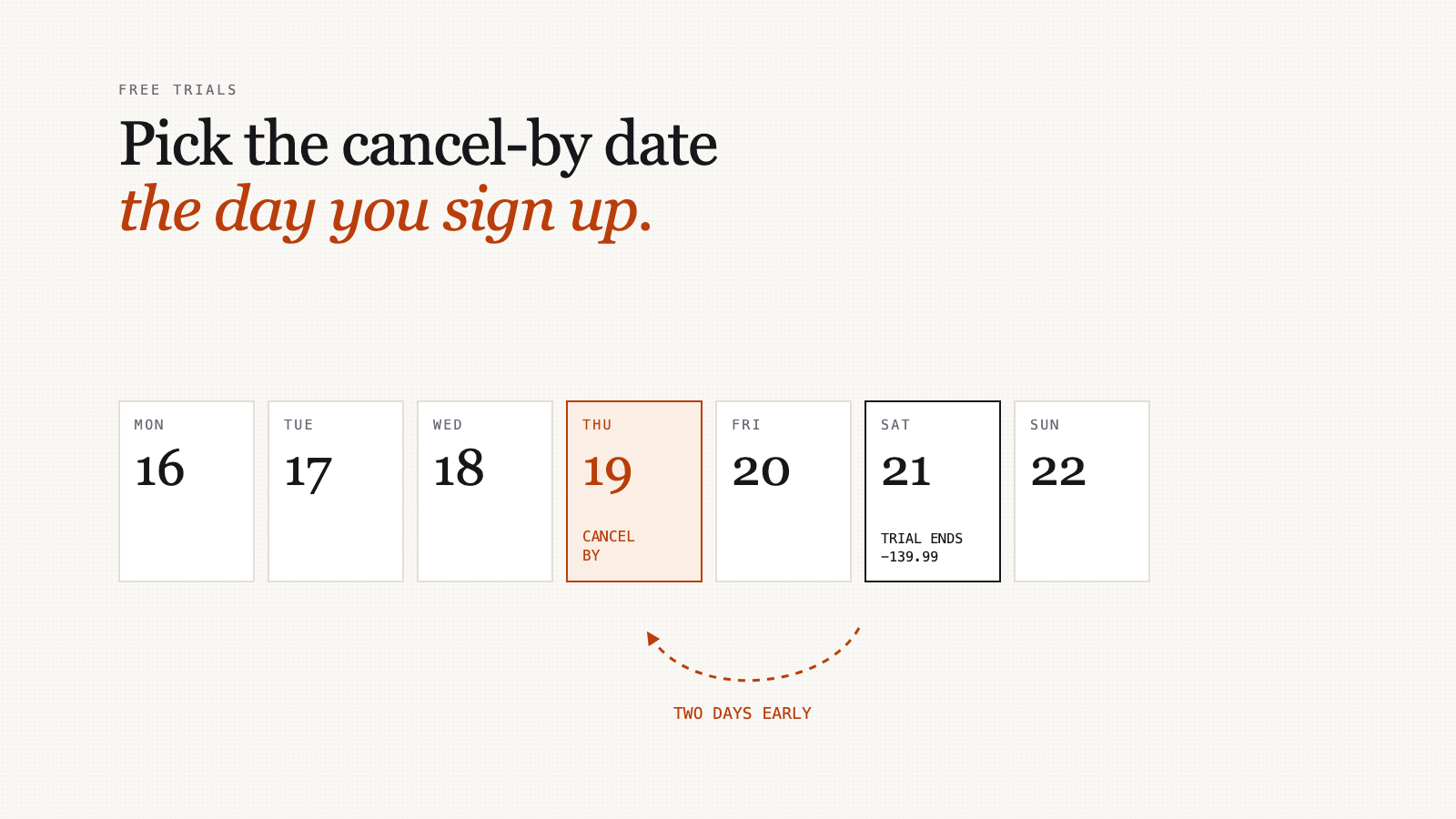
You start a seven-day free trial on a Tuesday, fully meaning to cancel, and the next thing you hear about it is a charge for a year up front. Subscription trackers that read your bank account would have spotted it, the day after it charged you. The only moment you can actually stop it is earlier, while you're signing up.
Why "I'll remember" doesn't work
A trial is designed around one fact: on the day it ends, you're thinking about something else. Nobody forgets on purpose. You forget because nothing reminds you in the four-day window where cancelling still helps.
Apps that spot subscriptions from bank transactions are useful for the ones you already pay for. But a trial hasn't charged you yet, so there's nothing for them to see until it's too late. Avoiding the first charge depends on information you only have at sign-up: when it ends and what it'll cost.
At sign-up, write down three things
It takes thirty seconds, while the confirmation email is still on screen.
- What it costs after the trial, and how often. "$139.99 a year" is a very different mistake from "$4.99 a month".
- When the first charge happens. The confirmation email or the account page usually says. If it only says "7 days", count from the day you signed up, and assume the earlier day if in doubt.
- Your cancel-by date. Not the charge date: two days before it.
Why two days early? Some services need you to cancel a set time before the renewal. App store subscriptions, for example, generally renew unless you cancel at least 24 hours before the period ends. Time zones and "end of day" can be in someone else's day, not yours. A two-day margin covers all of that.
Or cancel straight away
Often the cleanest option: start the trial, then cancel immediately. Many services keep your access until the trial ends anyway, and you've removed the risk entirely.
Check first, though. Some services end access the moment you cancel, so try this only after reading their cancellation page, or on a trial you can live without.
Monthly or yearly, once you keep it
If the trial ends and you want to keep it, you'll usually be offered a cheaper price for paying yearly. It's only cheaper if you'd keep it long enough.
Example: $12.99 a month, or $119.99 a year.
- Monthly for a year: $12.99 × 12 = $155.88
- Yearly saves: $155.88 − $119.99 = $35.89
- Break-even: $119.99 ÷ $12.99 = 9.2 months
So yearly only pays off if you're confident you'll still want it in ten months. For something you've used for a week, that's a guess. Paying monthly for two or three months first costs a little more and tells you a lot.
Add up what you already have
While you're at it, list every subscription you currently pay, and turn each one into a monthly figure. Annual and weekly ones are where the surprises hide.
| Subscription | Price | Per month |
|---|---|---|
| Streaming service | $16.49 / month | $16.49 |
| Music | $10.99 / month | $10.99 |
| Cloud storage | $3.99 / month | $3.99 |
| An app, paid yearly | $59.99 / year | $5.00 |
| Newspaper | $4.00 / week | $17.33 |
| Total | $53.80 |
The newspaper is the one people get wrong. $4 a week sounds like less than the streaming service, and it's more: 52 weeks ÷ 12 months is about 4.33 weeks a month, so $4 a week is about $17.33 a month.
Over a year this example comes to about $645. The yearly figure is the one to judge each subscription against: "would I pay $208 up front for this newspaper?" is easier to answer honestly than "$4 a week".
Letting something else remember
A calendar reminder on your cancel-by date works. Put the price in the reminder's title, so the decision is right there when it goes off.
In Xpento, subscriptions live on the Recurring page. Add one, mark it as a subscription, and you can set a Cancel by date and a reminder before each renewal. When a reminder is due, it arrives as an in-app notification and an email, with the price in it; either can be switched off in settings. If you set a cancel-by date with no renewal reminder, it reminds you three days before. The subscriptions list also shows its total as a monthly figure, with yearly and weekly ones converted, which is the table above without the arithmetic.
Do this today
Search your email for "trial" and "your subscription" from the last month. For each trial still running, write down its cancel-by date and the price after it, then set a reminder. For each subscription you're already paying, put it in the table. Cancel the first one you look at and feel nothing about.