The shopping list that ticks itself off
· 2 min read
I have a confession: I never tick things off my shopping list.
I write the list, I go to the store, I buy the things, and the list just sits there with everything still on it. A week later I can't tell what I bought and what I forgot.
So I built Spento's to-buy list to tick itself off.
How it works
The to-buy list is a normal shopping list. Add "cucumbers", "dish soap", "shrimp", whatever you need.
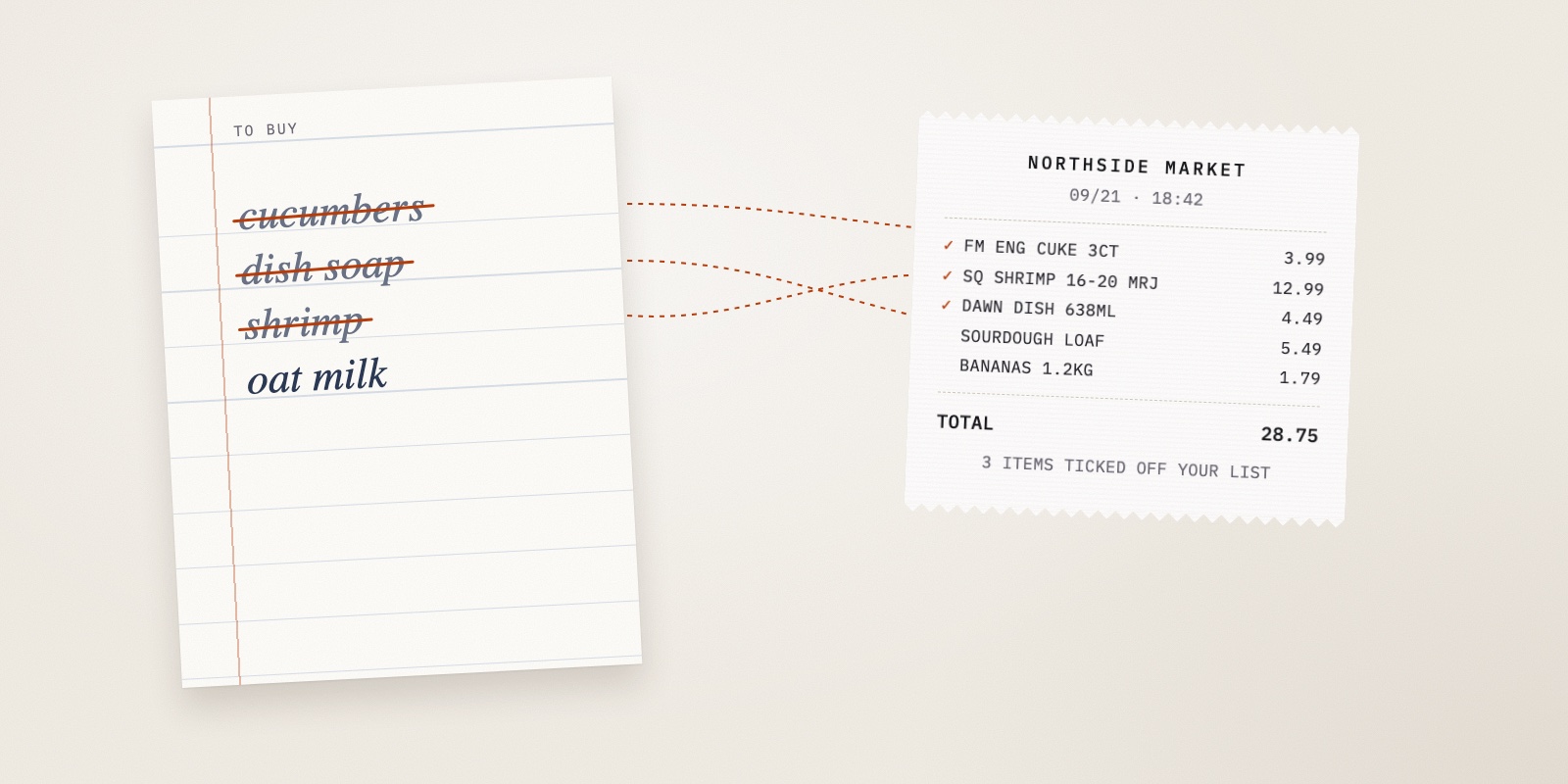
Then go shopping as usual. When you get home and photograph the receipt, Spento reads every line item on it and compares them with your list. Anything that matches gets ticked off automatically, and you'll see what it matched when you review the receipt.
That's all there is to it. You don't open the list at the store, and you don't tap anything.
The hard part: receipts don't speak English
Matching "dish soap" to "Dish Soap" is easy. Receipts are rarely that polite.
Store receipts are printed in a strange shorthand, squeezed onto a narrow strip of paper. Your list says cucumber. The receipt says FM ENG CUKE 3CT. Your list says shrimp. The receipt says SQ SHRIMP 16-20 MRJ.
Spento matches in two steps:
- Whole-word matching first. If every word on your list item appears on the receipt line, it's a match. "Mango" matches "Mangoes". But it has to be a whole word, so "apple" won't match "pineapple".
- AI for the rest. Anything still unmatched goes to a small AI model that understands receipt shorthand: abbreviations, brand prefixes and plurals. That's how "cucumber" finds "ENG CUKE".
Each receipt line can only tick off one list item, so one bag of shrimp won't clear "shrimp" and "prawns" at the same time.
It works from your inbox too
Forwarded order emails (on Premium) go through the same matching. If "phone charger" is on your list and an order confirmation with a charger in it lands in your Spento inbox, the item gets ticked off.
Don't want it?
Some people like ticking things off by hand, and that's fair. You can turn automatic ticking off in Settings, and the list goes back to being a regular list.
Why a budgeting app has a shopping list
This sounds like a feature that wandered in from another app. I'd argue the opposite: the shopping list is the one place where you write down what you mean to buy, before you buy it. The receipt is what you actually bought.
Put the two side by side and you start to notice things, like the trips where you went in for three items and came out with fourteen.
The to-buy list is part of Spento's free plan. Add three things to it before your next shop and see what gets ticked off.
— Rayhan Shikder