How to track cash spending your bank can't see
· 4 min read
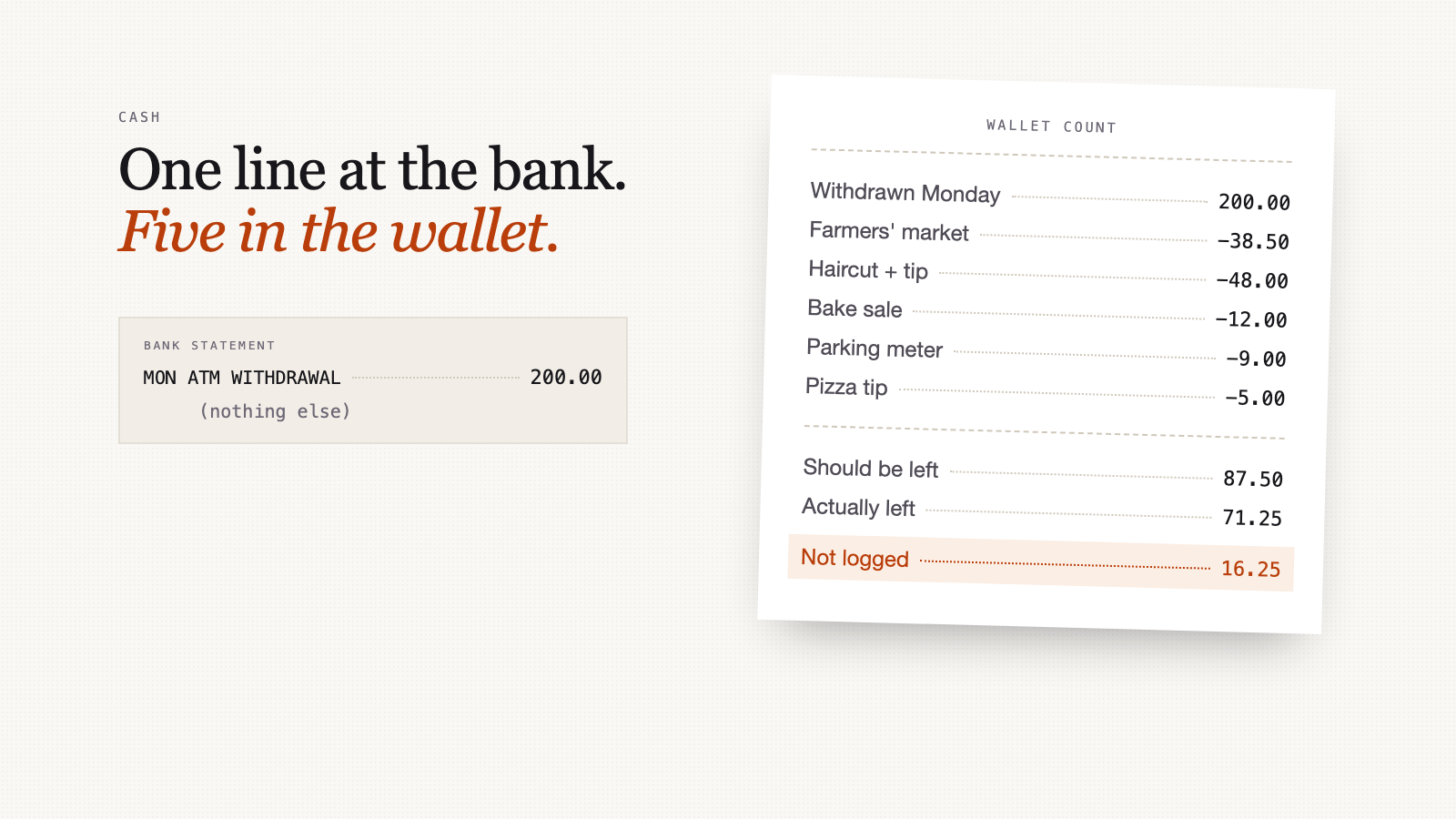
You take $200 out of an ATM on Monday, and by Saturday your wallet has $71.25 in it. Your bank statement shows one line, ATM WITHDRAWAL $200.00, and has nothing more to say. Here's how to track the other $128.75 without carrying a notebook everywhere.
Why cash goes missing from budgets
Every budgeting method built on bank data has the same blind spot. The bank sees money leave as cash, and that's the end of its knowledge. An app connected to your bank files the $200 under "Cash" or "Transfer", and your haircut, the farmers' market and the parking meter never appear anywhere.
For some people that's a rounding error. For others it's a large share of what they decide about each week: tips, markets, kids' school things, small takeaway shops with a card minimum, the cleaner, the babysitter. And it tends to be exactly the spending people are least sure about.
Rule one: the withdrawal isn't spending
This is the mistake that breaks most cash tracking. If you record the $200 withdrawal as an expense and record what you spent it on, you've counted it twice.
Pick one:
- Track the purchases, ignore the withdrawal. More work, far more useful. You learn where it went.
- Track the withdrawal as one expense called "Cash". Easy, but it tells you nothing except that cash happened.
The rest of this post is about the first option, with the second as a safety net.
Capture it at the moment, or not at all
Cash spending is easy to remember for about an hour. By the evening, half of it is gone. So the method has to be quick enough to do standing at the counter.
- If there's a paper receipt, photograph it there and then. It doesn't matter how you paid. A receipt shows the merchant, the date, the items and the tax whether you tapped a card or handed over a twenty.
- If there's no receipt, write one line. Amount, where, what. "$48, haircut, incl. $8 tip." A note on your phone is fine. Ten seconds.
- Don't try to remember coins. Below a few dollars, let it go. The weekly count below catches it.
The weekly wallet count
Once a week, do a two-minute check. This is what turns cash tracking from hoping into knowing.
Take what you withdrew, subtract what you logged, and compare the result with what's actually in your wallet.
An example week:
| Amount | |
|---|---|
| Withdrawn on Monday | $200.00 |
| Farmers' market | −$38.50 |
| Haircut, including tip | −$48.00 |
| School bake sale | −$12.00 |
| Parking meter | −$9.00 |
| Tip for a pizza delivery | −$5.00 |
| Should be in the wallet | $87.50 |
| Actually in the wallet | $71.25 |
| Not logged | $16.25 |
$16.25 unaccounted for is a good week. Log it as one expense, "Cash, not logged", so your monthly totals match reality. If the gap is regularly bigger than what you logged, the capture habit isn't working yet, and that's worth knowing too.
Start the count with whatever was in your wallet before the withdrawal, if it wasn't empty.
Watch for cash back at the till
Asking for $40 cash back with your groceries makes the receipt total, and the card charge, $40 higher than the groceries. If you record that total as groceries, your grocery spending is overstated by $40 and the cash then gets spent a second time somewhere else.
When you log a receipt with cash back, check that the amount recorded is the purchase alone. Treat the cash back as a withdrawal, which, per rule one, isn't spending.
Same problem, other shapes
Cash is the obvious case, but anything your budgeting tool can't see behaves the same way:
- a card from a bank your app doesn't connect to
- a partner's card used for a shared shop
- a gift card or store credit
Bank-based tracking misses these unless you connect every account. Receipt-based tracking doesn't care which card, or which person, paid. The receipt says what was bought either way.
Making it less tedious
This is the honest part: capturing cash is never zero work. The aim is the least work that keeps the numbers true.
If you use Xpento, the receipt photo works the same for cash as for card, since it reads the receipt, not the payment. For purchases with no receipt, you can add an expense by hand in the app. If you've connected Xpento to Claude, ChatGPT or another MCP client, you can also type "add $48 for a haircut today, paid cash" into the chat window you already have open, and it logs it.
Do this today
Count the cash in your wallet right now and write the number down. Log every cash purchase this week, even badly. Next week, do the count. The gap between what you logged and what's missing is the size of your blind spot, and it's rarely the number you'd have guessed.