How to track grocery prices with a price book
· 5 min read
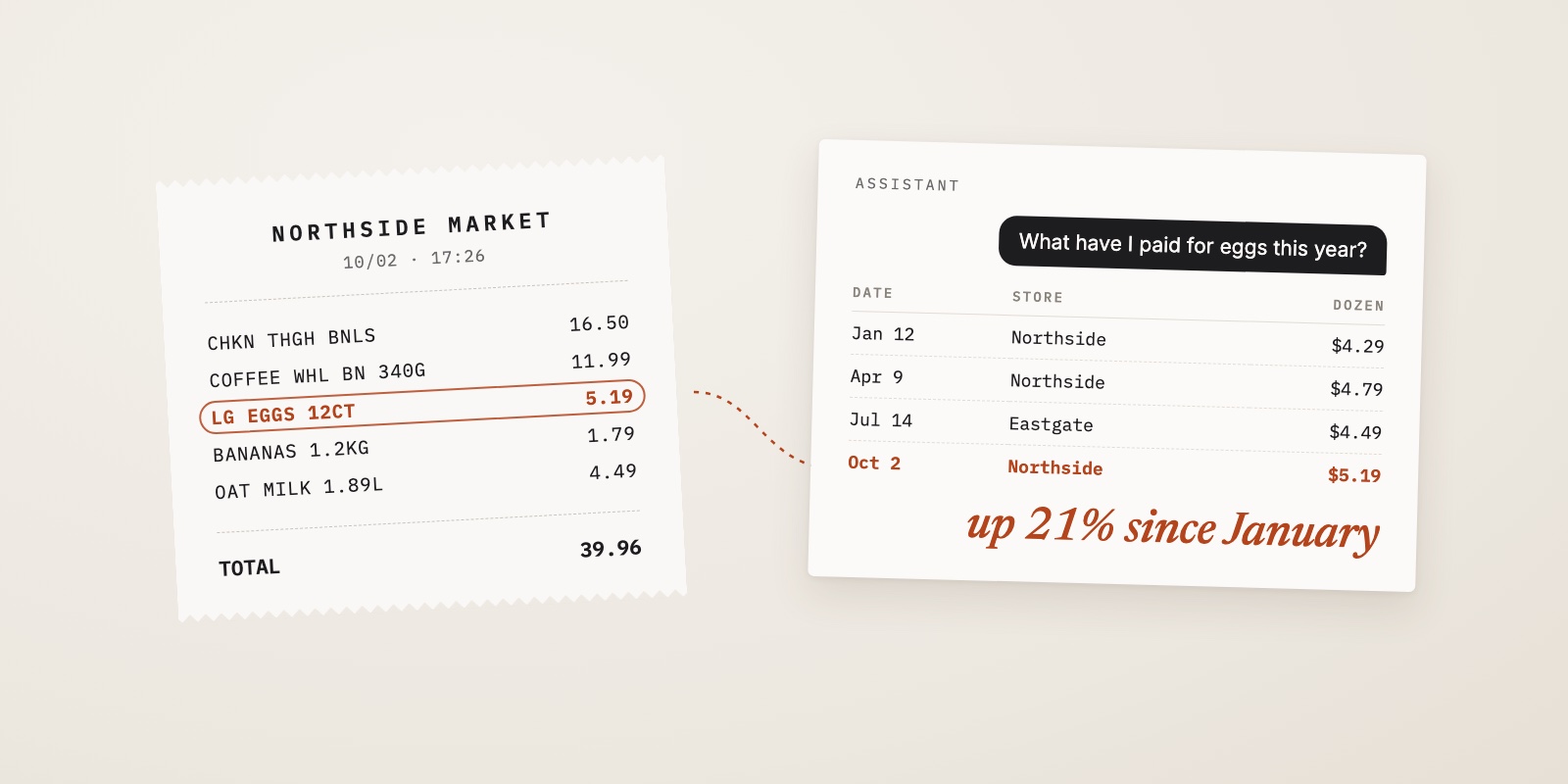
You can feel grocery prices going up, but you couldn't say which items or by how much. Your receipts already know: they record the price you actually paid for every item, after discounts. A price book is just writing a few of those prices down over time, so the feeling turns into numbers you can act on.
It takes about ten minutes a week, and after three months you'll shop differently.
What a price book is
It's an old idea: a list of the things you buy often, with what you paid, where and when. It answers three questions that are otherwise guesswork:
- Is this "sale" price actually good?
- Which store is cheapest for this particular item?
- Which items are behind the bill going up?
You don't need it for everything. You need it for the few items that make up most of your spending.
Pick 10 to 15 items
Track things you buy at least every two weeks and that cost real money over a month. To find them, take one month of receipts and, for each regular item, work out roughly what it costs you per month:
| Item | Bought | Monthly cost |
|---|---|---|
| Coffee beans | one bag every 2 weeks at $11.99 | about $26 |
| Eggs | one dozen a week at $4.79 | about $21 |
| Chicken thighs | 1.5 kg a week at $11.00/kg | about $72 |
| Spices | one jar a month at $3.49 | about $3.50 |
(Monthly figures use 52 weeks ÷ 12 months: eggs are $4.79 × 52 ÷ 12 ≈ $20.76, chicken is $16.50 × 52 ÷ 12 = $71.50, and a bag of coffee every two weeks is 26 bags a year, so $11.99 × 26 ÷ 12 ≈ $25.98.)
Chicken goes on the list. Spices don't, because even a 50% price rise would barely register. Ten to fifteen items like the chicken usually cover a large share of a grocery bill.
Record the unit price, not the sticker price
Package sizes change and stores sell the same item in different sizes, so compare the price per unit: per 100 g, per kg, per litre or per item.
Coffee is a good example:
| Size | Price | Per 100 g |
|---|---|---|
| 340 g | $11.99 | $3.53 |
| 900 g | $27.49 | $3.05 |
The bigger bag is about 13% cheaper per gram ($3.53 vs $3.05 per 100 g). Without the unit price, all you'd see is that one costs $11.99 and the other $27.49.
Weighed items like produce and meat often already show this on the receipt, as something like 0.84 kg @ $4.40/kg. That second number is the one to record.
A layout that's enough
One row per purchase:
| Date | Store | Item | Size | Paid | Unit price |
|---|---|---|---|---|---|
| Jan 12 | Store A | Eggs, large | 12 | $4.29 | $0.36 each |
| Apr 9 | Store A | Eggs, large | 12 | $4.79 | $0.40 each |
| Jul 14 | Store B | Eggs, large | 12 | $4.49 | $0.37 each |
| Oct 2 | Store A | Eggs, large | 12 | $5.19 | $0.43 each |
From January to October, eggs at Store A went from $4.29 to $5.19, up $0.90 or about 21%. At a dozen a week, that's $46.80 more a year ($0.90 × 52) on one item. You can also see that Store B was cheaper in July. That's worth checking again.
A spreadsheet works. So does a notebook. Sort or filter by item when you want to read it.
What to do with it after three months
Know your buy price. For each item, note the lowest unit price you've paid in the last three months. When you see it at or below that, buy extra if it keeps. When a "sale" is above it, it isn't really a sale.
Pick a store per item, not per trip. You'll usually find that one store wins on a handful of staples. You don't have to shop everywhere. Just know where the expensive items are cheapest.
Separate price from habit. If your monthly grocery bill rose $40, the price book tells you how much of that was prices. In the egg example, four dozen a month at $0.90 more is $3.60. If your tracked items only explain $10 of the $40, the rest is buying more, not things costing more. That calls for a different fix.
Or skip the copying and ask your receipts
The hard part of a price book is collecting the prices. Shelf tags show the price before discounts, and memory isn't reliable. Receipts show what you actually paid, and you already get them. Copying them into a table is the part that takes the time.
If you photograph your receipts in Xpento, each line is kept with its quantity, unit price, store and date. The assistant in the app can read those lines, so you can ask in plain words instead of copying rows:
- "What have I paid for eggs since January?"
- "Where was coffee cheapest in the last three months?"
- "Show every chicken thigh purchase this year as a table, with the price per kg."
It answers from your own receipts and says which purchases it counted, so you can check it. Receipts abbreviate names, like LG EGGS 12CT or CHKN THGH BNLS. For a type of product it reads the full list of items instead of searching for the word, so those still count.
That makes the written price book optional. Keep the table if you like seeing everything at once. But the three questions at the top, whether a sale is real, which store wins and what's pushing the bill up, can each be answered with one question.
Three limits worth knowing:
- It only knows what you've scanned. A receipt you typed in as a single total has no line items, and neither does one that wasn't itemized. Your price history starts with your first scanned receipt.
- It uses what's printed. If the receipt doesn't show the package size, it can't turn $11.99 into a price per 100 g. Tell it the size ("the 340 g bag"), or note it yourself.
- Check the list it gives you. A common word like "chicken" can match stock, soup and thighs. If an answer looks off, ask for the individual purchases and ask it to drop the ones that don't belong.
Start with last week's receipts
Tonight, take last week's grocery receipts and choose your 10 items. If you're keeping the table, fill in the first row for each and add a row every time you buy one. If your receipts are in Xpento, ask for the price of each of the 10 items now and again in a month. The first useful comparison comes about a month in either way.